How to Use the São Paulo Metro on a First Trip
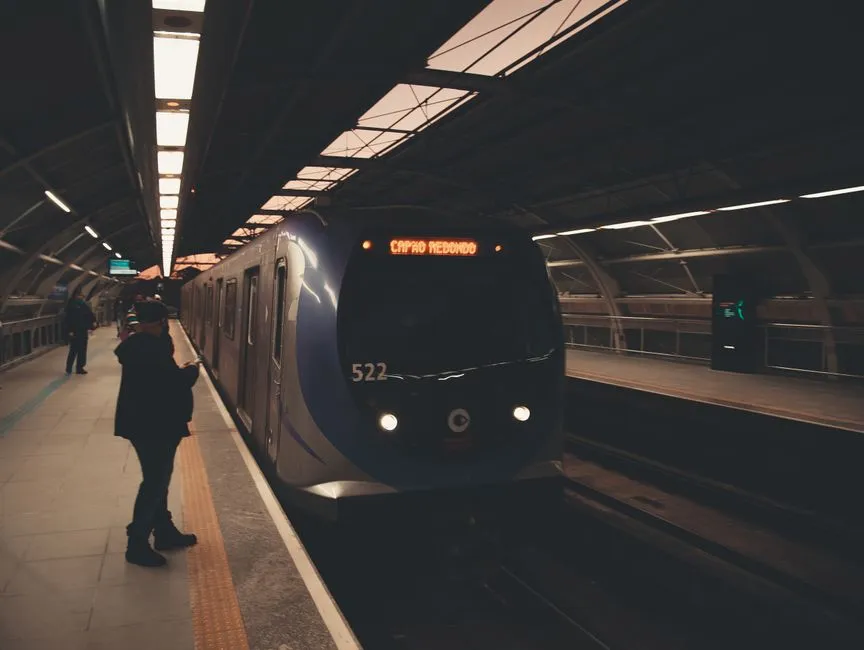
Reduce every trip to four decisions
To use the São Paulo Metro, identify your line, the terminal station showing direction, any transfer station, and the correct exit at your destination. Check the official network map and live status before leaving, then buy a current authorized ticket or fare product.
The map looks large because the city is large. Your trip, however, may be one colored line and a firm commitment not to follow the person who simply appears confident.
Read line color, name, and endpoint
Metro lines are identified by number, color, and name. Other rail operators connect with the network, so official maps may display more than the lines directly operated by Metrô de São Paulo.
Find the origin and destination stations. Trace the line and note the terminal at the end of the direction you need. Platform signs use that terminal to show direction. For example, do not rely on “toward downtown,” which can become ambiguous inside a network crossing central areas more than once.
At a transfer, follow the numbered and colored signs for the next line, then verify its endpoint before descending to the platform. The getting-around guides recommend writing the sequence in one line:
Origin → line and direction → transfer → line and direction → destination exit
Screenshots help when mobile data fails, but download a current map from the official operator rather than saving an undated graphic from a blog.
Buy through authorized channels
Ticket products, fares, accepted payment methods, apps, and eligibility change. The current official Metro visitor page lists station ticket offices and machines alongside authorized digital and contactless options. Some longer-term cards require Brazilian identification or registration.
For a straightforward visitor trip, ask station staff which current authorized single-ride or contactless option fits. Use only official pages, apps, machines, gates, or approved sellers. Do not buy from an unofficial person near the station.
If using a QR code, load it before reaching the gate, raise screen brightness if needed, and protect the code from accidental sharing. Keep the phone charged but retain another payment and return plan; a ticket that lives only in a tired battery has chosen drama.
Check hours by station and transfer
Do not memorize one universal closing time. The operator publishes general system hours, station-specific times, transfer cutoffs, and temporary or experimental operations. Check the official page for the date and stations involved, especially late at night.
Plan backward from the final required transfer, not only the first station entrance. A train may still operate on one line after the connection you need is no longer guaranteed.
Use official service-status information before each journey. Maintenance, incidents, weather, events, and demonstrations can alter access. Keep a licensed ride or alternate public-transport plan appropriate to the hour and group.
Move through stations without blocking flow
Before the gate, have the ticket ready and confirm the correct station entrance. After entering:
- Keep right on stairs and corridors where signs direct.
- Stand clear of train doors and let passengers exit first.
- Hold bags close and remove backpacks in crowded cars when appropriate.
- Keep luggage away from aisles, doors, escalators, and priority spaces.
- Use handrails and never run for closing doors.
- Follow staff, platform, and audible instructions.
Secure phones, wallets, passports, and bags. Use the phone briefly and deliberately rather than standing at the platform edge while solving the entire week. If lost, step away from the flow and ask uniformed staff.
Choose the exit before leaving the paid area
Large stations may have several exits onto different streets. Check the destination address and official station map before passing the last gate. A wrong exit can add hills, crossings, or a long walk that the route planner did not invite.
At street level, reorient using two fixed landmarks instead of holding a phone outward continuously. Confirm licensed ride details inside a suitable waiting area. Avoid isolated shortcuts and seek current local guidance for routes after dark.
Plan accessibility station by station
An accessibility symbol on a network map does not describe every entrance, lift, transfer distance, platform gap, or temporary outage. Consult the operator's current accessibility information and contact service for the exact journey. Allow more time and identify an alternative.
Travelers with luggage, children, sensory needs, limited Portuguese, or reduced mobility may prefer fewer transfers even when another route is faster on paper. Route quality is not measured only in minutes.
Pick lodging by the line you will use
The comparison of where to stay in São Paulo evaluates Paulista, Pinheiros, Vila Madalena, Vila Mariana/Paraíso, and Centro/República. When comparing hotels, map the useful station entrance—not merely the station dot—and count transfers to the three most important destinations.
Save the station names in Portuguese, the official network map, lodging address, and an offline return route. With those pieces, the Metro becomes less like a giant diagram and more like a sequence of small, answerable decisions. São Paulo remains enormous. Fortunately, no passenger is required to travel across all of it before lunch.